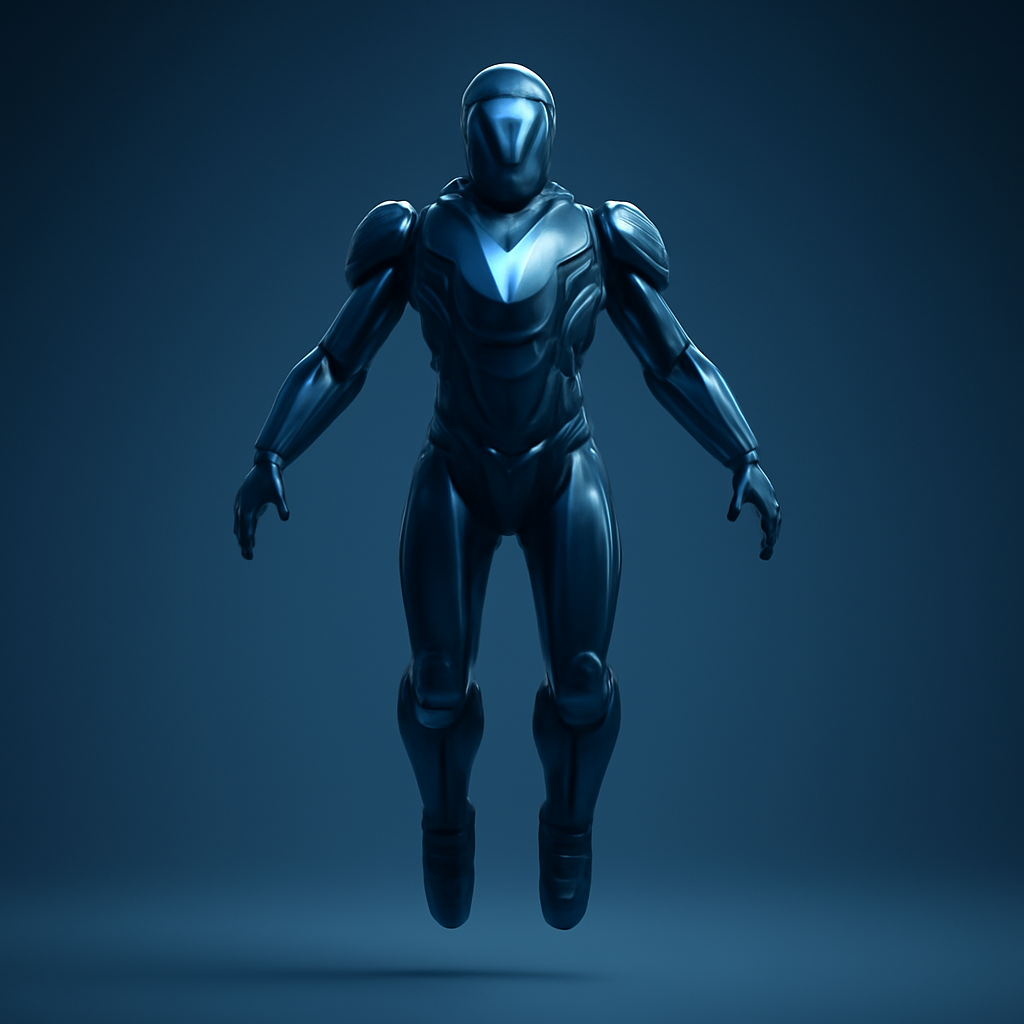
How to Generate AI 3D Models from Text and Images
Creating high-quality 3D models traditionally required specialized software, technical expertise, and hours—or even days—of manual modeling. Today, AI makes it possible to generate detailed 3D assets from a simple text description or a reference image in just a few minutes.
Lyndium's AI 3D Model Generator allows creators, designers, developers, educators, and businesses to transform ideas into downloadable 3D models without traditional modeling workflows. Whether you're creating game assets, product prototypes, architectural concepts, educational models, or AR/VR content, AI significantly accelerates the creative process.
In this guide, you'll learn how AI 3D model generation works, when to use Text-to-3D or Image-to-3D, how to write better prompts, and practical ways to create production-ready 3D models with Lyndium.
What Is an AI 3D Model Generator?
An AI 3D model generator uses artificial intelligence to convert natural language descriptions or reference images into three-dimensional digital models. Instead of manually sculpting or modeling every object, users simply describe what they want—or upload an image—and the AI generates a detailed 3D asset.
This approach dramatically reduces the time required to create models while making 3D content creation accessible to users with little or no previous 3D modeling experience.
Text-to-3D vs Image-to-3D
Lyndium supports multiple ways to generate AI 3D models, allowing you to start from either an idea or an existing visual reference.
| Generation Method | Best For | Example |
|---|---|---|
| Text-to-3D | Creating completely new concepts from descriptions. | "A futuristic delivery drone with four rotors." |
| Image-to-3D | Converting an existing object or design into a 3D model. | Upload a product photo, sketch, illustration, or concept art. |
Text-to-3D is ideal when you have an idea but no visual reference. Image-to-3D is better when you already have an existing design that you want to transform into a three-dimensional model.
Why Use AI for 3D Model Generation?
AI simplifies many of the challenges traditionally associated with 3D modeling. Instead of spending hours learning professional modeling software, users can generate complex assets using simple prompts or images.
- Create 3D models in minutes instead of days.
- Generate concepts without advanced modeling skills.
- Rapidly prototype products and creative ideas.
- Create assets for games, AR, VR, and interactive experiences.
- Generate educational, architectural, and engineering concepts.
- Accelerate creative workflows and reduce production costs.
Popular Applications for AI 3D Models
AI-generated 3D models can be used across a wide range of industries and creative projects.
| Industry | Examples |
|---|---|
| Game Development | Characters, props, weapons, environments, vehicles. |
| Product Design | Rapid concept visualization and product prototypes. |
| Architecture | Buildings, interior concepts, urban planning models. |
| AR & VR | Interactive digital experiences and virtual environments. |
| Education | Scientific models, historical objects, teaching materials. |
| 3D Printing | Concept models and printable object prototypes. |
What Makes a Good 3D Generation Prompt?
The quality of your AI-generated model depends heavily on the prompt you provide. A detailed prompt helps the AI understand the object's appearance, structure, proportions, materials, and intended style.
A strong prompt should include:
- Object or character description.
- Shape and proportions.
- Materials and surface finishes.
- Colors and textures.
- Design style (realistic, stylized, futuristic, cartoon, etc.).
- Important structural details and unique features.
The more descriptive your prompt, the more accurately the generated 3D model will match your intended design.
Ready-to-Use AI 3D Model Prompts
The following prompts are designed to help you create professional AI-generated 3D models with Lyndium. You can use them as a starting point and customize the object, style, materials, colors, and details to match your project requirements.
1. Game Character
Best For: Game development, animation, AR/VR.
A futuristic cyberpunk soldier wearing lightweight combat armor, glowing blue visor, mechanical arm enhancements, tactical backpack, detailed boots, realistic proportions, high-quality game-ready 3D character.
2. Fantasy Creature
Best For: RPG games, fantasy worlds, animation.
A majestic forest dragon with emerald green scales, large feathered wings, glowing golden eyes, curved horns, detailed claws, realistic anatomy, highly detailed fantasy 3D model.
3. Product Prototype
Best For: Product design, industrial design, concept visualization.
A modern wireless ergonomic computer mouse with matte black finish, smooth curves, minimalistic design, premium materials, realistic buttons, high-quality industrial product prototype.
4. Furniture Model
Best For: Interior design, architecture, visualization.
A Scandinavian-style wooden dining chair with light oak finish, soft fabric cushion, rounded edges, modern minimalist design, realistic proportions, detailed craftsmanship.
5. Vehicle Concept
Best For: Automotive design, games, concept art.
A futuristic electric sports car with aerodynamic body, glass roof, LED lighting, carbon fiber details, low-profile tires, aggressive styling, premium concept vehicle.
6. Architectural Model
Best For: Architecture, visualization, urban planning.
A contemporary two-story luxury house with large glass windows, wooden exterior panels, landscaped garden, flat roof, modern architecture, realistic structural details.
7. Collectible Figure
Best For: Toys, collectibles, 3D printing.
A stylized space explorer collectible figure wearing a futuristic spacesuit, oversized helmet, friendly facial expression, detailed accessories, clean sculpted appearance.
8. Technology Gadget
Best For: Consumer electronics, marketing, product visualization.
A premium wireless smart speaker with cylindrical design, fabric texture, metallic controls, minimalist appearance, realistic product proportions, commercial-quality 3D model.
9. Decorative Object
Best For: Interior decoration, ecommerce, visualization.
A handcrafted ceramic flower vase with organic curved shape, matte white finish, subtle texture, elegant minimalist design, realistic proportions.
10. Sci-Fi Robot
Best For: Games, films, animation, AR/VR.
A compact exploration robot with articulated limbs, camera sensors, metallic body panels, glowing indicator lights, futuristic industrial design, highly detailed mechanical components.
Tips for Better AI 3D Prompts
Well-written prompts help the AI generate more accurate and visually appealing 3D models. Instead of using short descriptions, include details that clearly define the object's appearance and intended purpose.
- Describe the object or character in detail.
- Specify materials such as wood, metal, glass, plastic, or fabric.
- Mention colors, finishes, and textures.
- Describe the overall style, such as realistic, stylized, futuristic, low-poly, or cartoon.
- Include distinctive features that make the model unique.
- Explain the intended use, such as a game asset, product prototype, architectural visualization, or 3D printing concept.
Choosing Between Text-to-3D and Image-to-3D
If you are starting with a completely new idea, Text-to-3D gives you the flexibility to generate original concepts from natural language descriptions. This approach is ideal for brainstorming, rapid prototyping, and creating unique characters or objects.
If you already have a product photo, illustration, sketch, or concept image, Image-to-3D helps transform that existing visual into a three-dimensional model. This is especially useful when recreating products, refining existing concepts, or converting 2D artwork into 3D assets.
Many professional creators combine both workflows—using Text-to-3D to explore ideas and Image-to-3D to refine or recreate specific designs.
Best Practices for AI 3D Model Generation
Generating high-quality AI 3D models starts with providing clear instructions and choosing the right workflow. While AI can dramatically speed up the modeling process, spending a little extra time refining your prompt or selecting the right reference image often produces significantly better results.
- Be descriptive: Include the object's shape, proportions, materials, colors, textures, and distinctive features.
- Choose the right workflow: Use Text-to-3D when creating original concepts and Image-to-3D when you already have a reference image.
- Keep reference images clean: If using Image-to-3D, upload clear images with good lighting and minimal background distractions.
- Start simple: Generate a base concept first, then refine it with more detailed prompts if needed.
- Think about the final use case: A model intended for a game may require different styling than one created for product visualization or education.
Common Mistakes to Avoid
Most AI-generated models can be improved by avoiding a few common prompt-writing mistakes.
- Using prompts that are too short or too vague.
- Combining too many unrelated ideas into a single prompt.
- Leaving out important information such as materials, proportions, or style.
- Uploading blurry or low-quality reference images for Image-to-3D generation.
- Expecting the first generation to be perfect instead of refining the prompt and trying alternative descriptions.
Create 3D Models with Lyndium
Lyndium's AI 3D Model Generator is designed to make 3D content creation accessible to everyone—from beginners exploring new ideas to professionals building assets for production workflows.
You can generate models from either a text description or a reference image, allowing you to create original concepts or transform existing designs into three-dimensional assets.
Generated models are available in GLB format, a widely supported standard compatible with many modern 3D viewers, game engines, AR/VR applications, and web experiences.
Because generation runs on Lyndium's cloud infrastructure, there's no need for expensive hardware or advanced 3D modeling software. Simply describe your idea, generate the model, and download it for your project.
Who Can Benefit from AI 3D Models?
AI-generated 3D models can accelerate creative workflows across many industries and disciplines.
| User | How AI 3D Models Help |
|---|---|
| Game Developers | Create characters, props, environments, and concept assets faster. |
| Product Designers | Visualize new ideas before investing in physical prototypes. |
| Architects | Generate conceptual buildings, interiors, and urban layouts. |
| Educators | Create interactive learning materials and scientific models. |
| AR/VR Developers | Build immersive experiences using AI-generated assets. |
| 3D Printing Enthusiasts | Prototype concepts and experiment with printable designs. |
Conclusion
AI is changing how 3D content is created by making complex modeling workflows faster and more accessible. Instead of spending days building every object from scratch, creators can now generate detailed 3D models from simple text descriptions or reference images in just a few minutes.
Whether you're designing game assets, exploring product concepts, creating educational content, or building experiences for AR and VR, AI enables faster experimentation and more efficient creative workflows.
Lyndium's AI 3D Model Generator combines Text-to-3D and Image-to-3D generation in a cloud-based platform, helping creators transform ideas into downloadable GLB models without requiring advanced modeling skills or specialized hardware.
As AI continues to evolve, 3D model generation will become an increasingly valuable tool for designers, developers, businesses, and creators looking to prototype ideas, accelerate production, and bring concepts to life more efficiently.
Step-by-Step Guide
- 1Open the AI 3D Model Generator
Sign in to your Lyndium account and open the AI 3D Model Generator from your dashboard. This is where you can create new 3D models using either a text description or a reference image.
- 2Choose Your Generation Method
Select the workflow that best matches your project. Text-to-3D: Describe your idea using natural language to create an original 3D model. Image-to-3D: Upload a reference image to transform an existing design, product, illustration, or concept into a 3D model. Choose the method that provides the best starting point for your creative goal.
- 3Write a Detailed Prompt or Upload an Image
If you're using Text-to-3D, describe the object, character, or scene with as much detail as possible. Include information such as materials, colors, proportions, textures, style, and important features. If you're using Image-to-3D, upload a clear, high-quality reference image with good lighting and minimal background distractions to help the AI understand your subject more accurately.
- 4Generate Your 3D Model
Review your prompt or uploaded image, then start the generation process. Lyndium's cloud-based AI processes your request and creates a detailed 3D model in just a few minutes, depending on the complexity of your design.
- 5Review the Generated Model
Inspect the generated 3D model to ensure it matches your vision. Check the overall shape, proportions, structural details, and design. If the result isn't exactly what you expected, refine your prompt or use a different reference image and generate another version.
- 6Download the GLB Model
Once you're satisfied with the result, download your generated model in GLB format. GLB is widely supported by modern 3D viewers, web applications, game engines, and AR/VR workflows, making it easy to continue your project.
- 7Import Your Model into Your Workflow
Use your downloaded GLB model in your preferred creative pipeline. AI-generated models can support game development, product visualization, architecture, educational projects, interactive web experiences, AR/VR applications, and concept presentations.
- 8Iterate and Improve
AI 3D generation is an iterative process. Experiment with different prompts, object descriptions, artistic styles, and reference images to create multiple variations. Small improvements to your prompt can produce significantly different results and help you achieve the outcome you're looking for.
Frequently Asked Questions
Lyndium Engineering Team — AI Engineers • 3D AI Specialists • Creative Technology Team
The Lyndium Engineering Team develops AI-powered creative tools that help creators, developers, designers, and businesses transform ideas into production-ready digital assets. Through Lyndium Academy, the team shares practical tutorials, prompt engineering techniques, and workflow guides for AI image generation, marketing videos, faceless videos, and AI-generated 3D models.